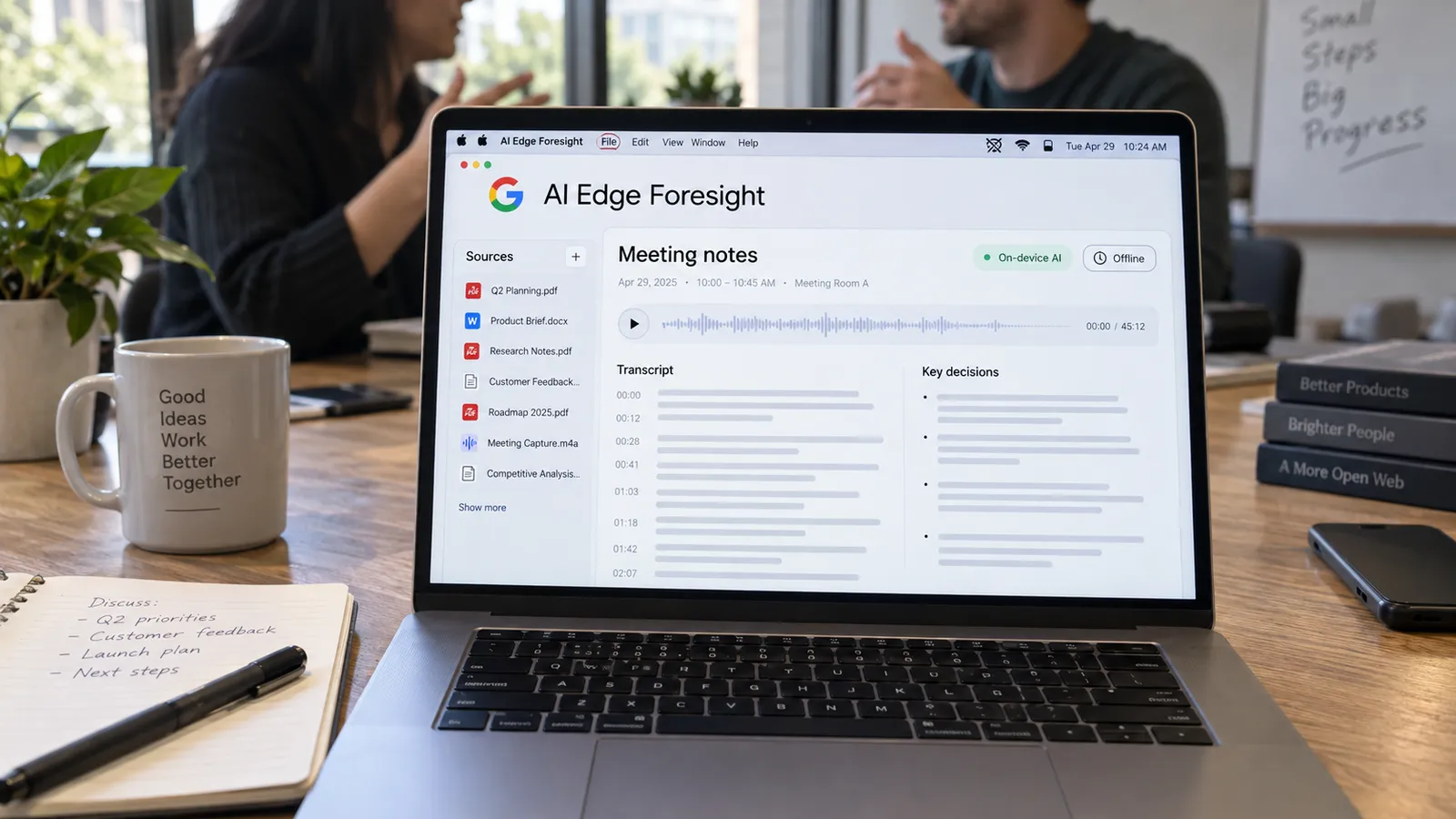
Google AI Edge Foresight: what changes when meeting notes stay on your Mac?
When a meeting ends, we are often left with brief notes, open documents and decisions we are trying to remember. Google’s experimental Mac app, AI Edge Foresight, attempts to bring those pieces together on the device. It enriches shorthand notes with the meeting transcript and helps retrieve information from conversations and personal files.
What interests me is its potential to change the work that follows a meeting. Instead of replaying an entire recording to recall a decision, being able to reach both the relevant conversation and the document behind that decision could be more useful.
What offline operation means in practice
Foresight is a macOS app optimized for Apple Silicon. Audio, transcription and AI processing take place on the computer. Its local processing approach is designed to work without sending meeting content to cloud servers.
When assessing the offline promise, installation and model downloads should be considered separately. Accessing online sources, such as fetching a new document from Google Drive, also requires a connection. Working with content already on the computer, however, could be a practical advantage while travelling or dealing with a weak connection.
Connecting meetings and documents
The app supports sources including PDFs, Google Docs, Microsoft Office files, plain text and Markdown. It can draw on that information through chat and live assistance.
Here is the experience I would want: when a delivery date comes up in a discussion, the relevant section of the earlier plan should be available alongside it. Reading the note, I should be able to distinguish what was said during the meeting from what came from an older document. These are my evaluation criteria; combining sources also makes it important to show differences in their dates and context.
Two models with different jobs
Foresight combines Gemma 4 with EmbeddingGemma 2. EmbeddingGemma 2 is a 740-million-parameter embedding model: it supports retrieval by establishing semantic relationships across text, images, audio and video. Gemma 4 handles answer generation using that context. The 740-million figure should therefore not be read as the app’s entire AI capacity or total memory requirement.
I find this design interesting because it brings retrieval and answer generation into the same workflow. A good meeting assistant should find useful information at the right moment and make it easy for the user to check it.
My criteria for everyday use
To evaluate the product during a real working day, I would test Turkish conversations, overlapping voices, people’s names and technical terminology. Battery consumption during long meetings, memory use and note export would also influence my decision. This article is not a hands-on review; I have not measured those aspects.
I find the direction Foresight opens up valuable: it brings meeting memory closer to the working context on a person’s own computer. For me, its success will depend on helping users find the right decision, together with the right document, with less searching after a meeting.